Configuração de tags de chamadas na integração entre o PABX Virtual e o Kommo
Se o seu PABX Virtual estiver integrado ao Kommo, os cartões de leads e contatos podem ser criados automaticamente durante as chamadas. Se necessário, esses cartões podem incluir tags — rótulos especiais que ajudam a registrar detalhes importantes da chamada e a encontrar rapidamente as informações necessárias sobre leads e contatos. As regras de tags são configuradas separadamente para cada tipo de chamada: chamadas recebidas e realizadas, atendidas e não atendidas. Vamos analisar a configuração de tags para chamadas recebidas atendidas como exemplo.
1. No cenário de integração selecionado, na seção Chamadas recebidas, ative a adição de tags movendo o seletor para a direita.

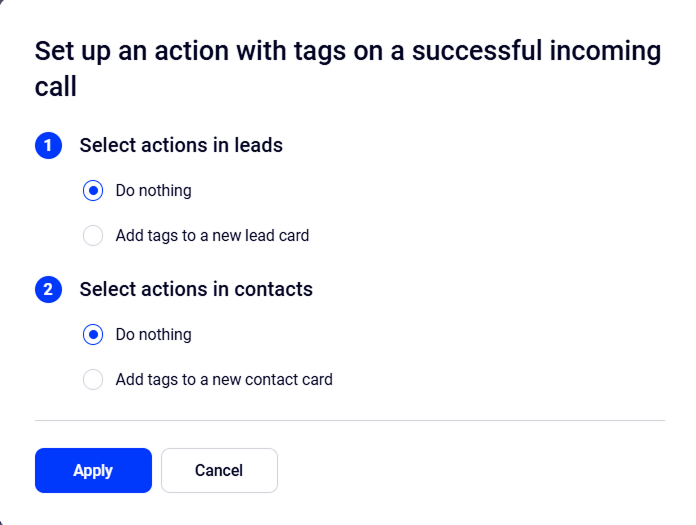
2. Na janela que se abre, escolha o que fazer em uma chamada recebida atendida: adicionar ou não tags a leads ou contatos.
A adição de tags a leads e contatos é configurada separadamente.
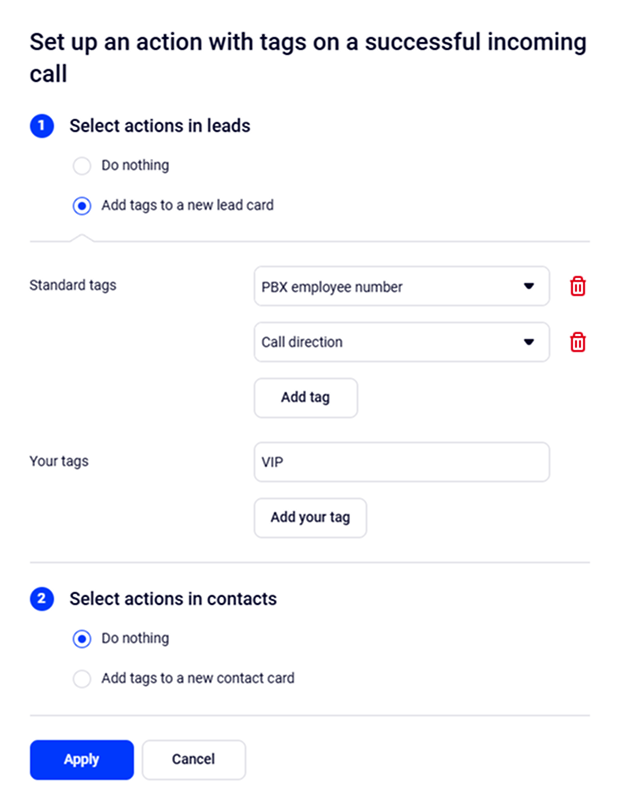
3. No menu exibido, selecione as tags necessárias da lista padrão:
- Direção da chamada — recebida ou realizada.
- Resultado da chamada — atendida ou não atendida.
- Número do funcionário do PABX
- Status do cliente — novo ou existente.
- Nome do funcionário
- Nome do número
- Nome do departamento — apenas para chamadas recebidas.
Se as tags padrão não atenderem às necessidades do seu negócio, você pode criar as suas próprias. Por exemplo:
- Cliente VIP — para marcar chamadas de clientes-chave.
- Pedido urgente — para destacar solicitações que exigem processamento rápido.
- Reclamação — ajuda a acompanhar reclamações para ações posteriores.
Para excluir uma tag desnecessária, clique no ícone da lixeira à direita da tag.
Em seguida, salve as alterações clicando em Aplicar.
4. As regras salvas podem ser verificadas na página do cenário de integração.
Para editar uma regra existente, clique no ícone de engrenagem.

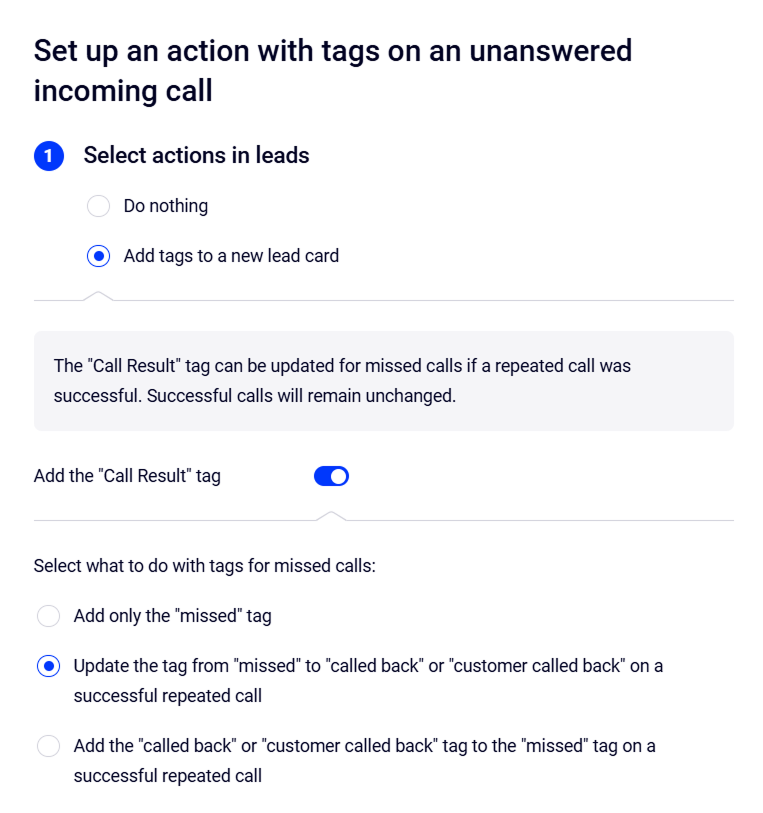
As regras de tags para chamadas não atendidas são configuradas da mesma forma que para chamadas atendidas. Além disso, para chamadas perdidas, você pode ativar a tag Resultado da chamada, que será atualizada automaticamente se uma chamada atendida para o mesmo cliente ocorrer mais tarde no mesmo dia. Se o cliente ligar novamente, a tag Resultado da chamada também será atualizada. Para configurar isso, na janela de configurações de chamadas recebidas não atendidas, mova o seletor Adicionar a tag “Resultado da chamada” para a direita.
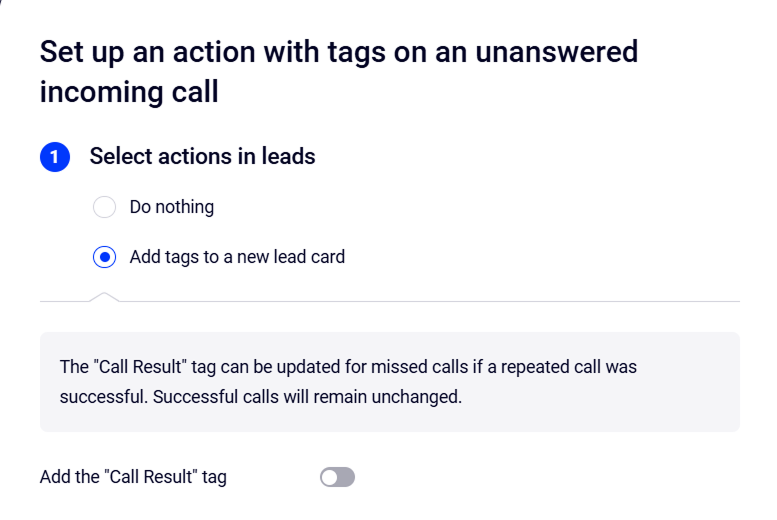
Depois disso, você pode escolher o que fazer com essa tag:
- Adicionar apenas a tag “não atendida”.
- Atualizar a tag de “não atendida” para “retornou a ligação” ou “cliente retornou a ligação” em uma chamada repetida atendida.
- Adicionar a tag “retornou a ligação” ou “cliente retornou a ligação” à tag “não atendida” em uma chamada repetida atendida.